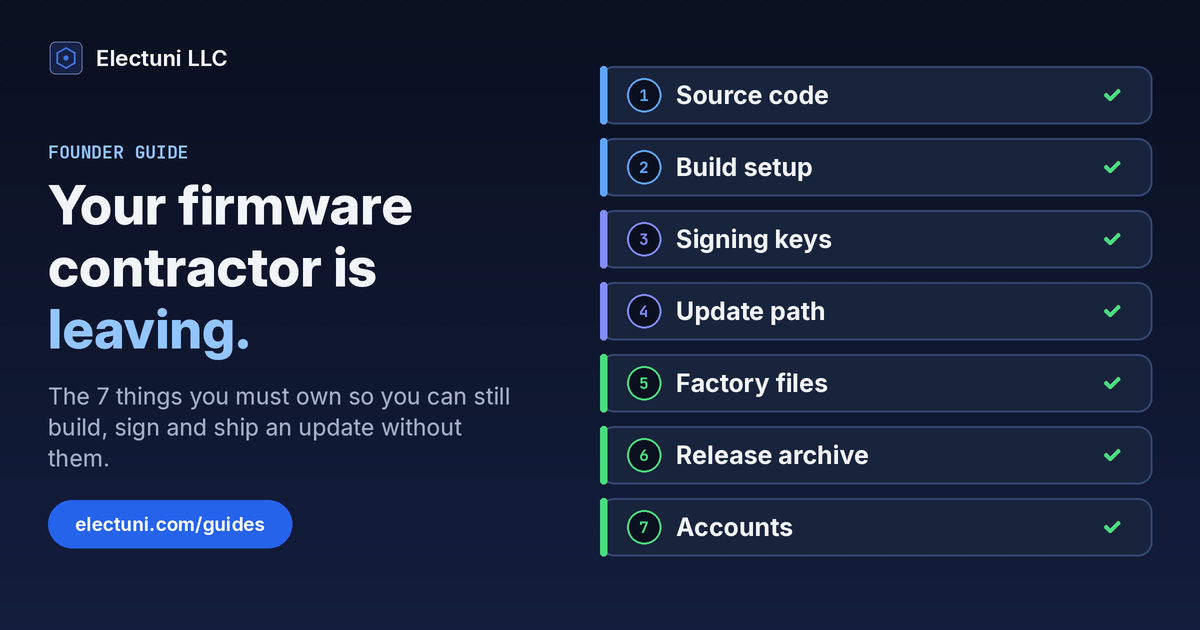
Why the handoff decides what you can do next
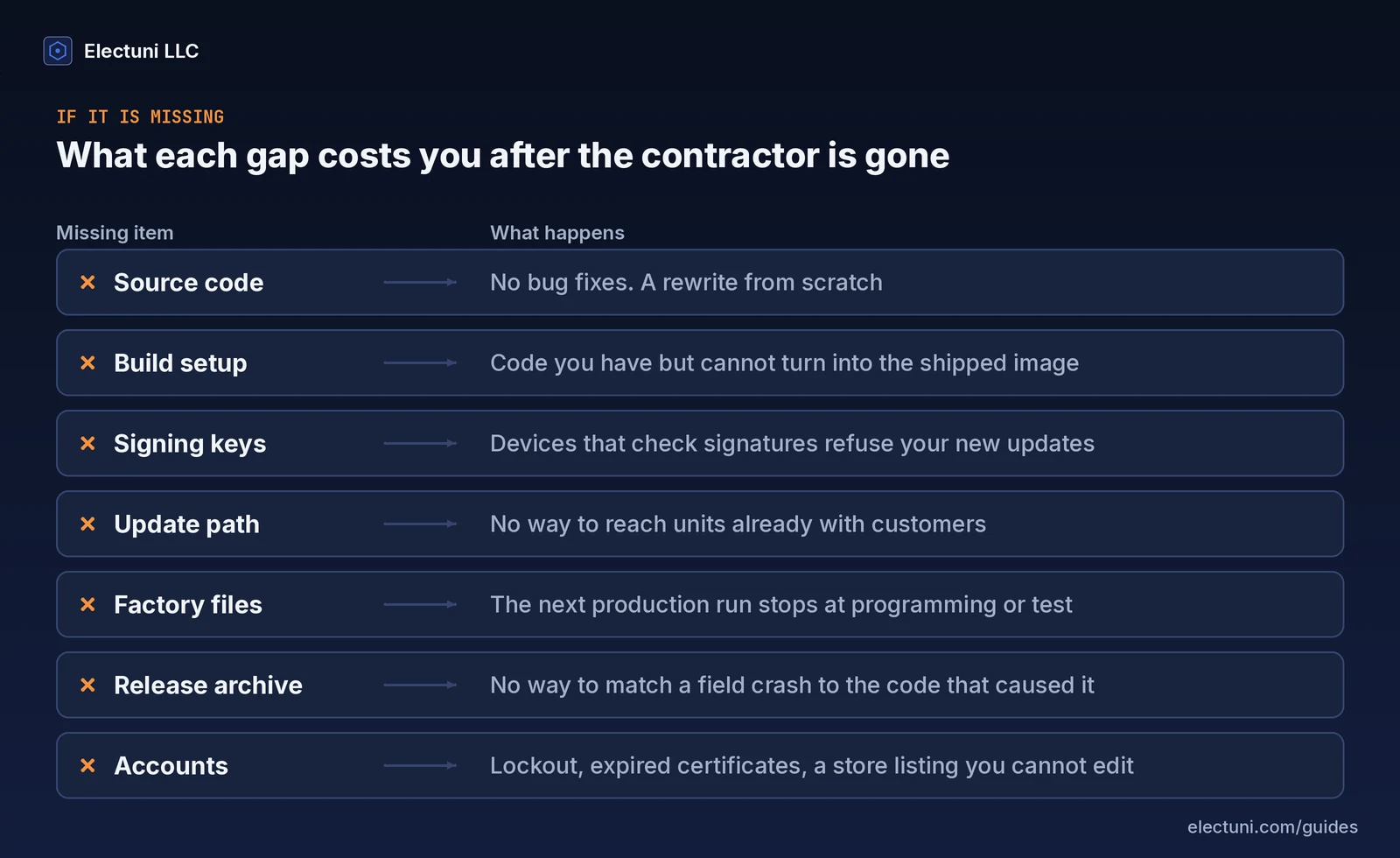
Picture month 3 after your firmware contractor wrapped up. A customer reports a bug, your new engineer finds the fix in an afternoon and then gets stuck for 2 weeks. The code won't build on her laptop. Nobody knows which compiler version made the image on the shelf. And the key that signs updates sits on a machine you've never seen.
That's the usual way a firmware handoff goes wrong. Nobody did anything wrong. The files you got were the files that were easy to send. Code is easy to send. A working build, a signing key and a cloud account in your company's name aren't, and those are the parts you need to ship a fix.
So the test for a good handoff is simple. Can someone who never worked on the project build the exact firmware you shipped, sign it and get it onto a device in the field? If yes, you own your product. If not, you own a folder of code.
This guide lists the 7 things that make the answer yes, what each one looks like when it's done properly and how to check it before the last invoice is paid. It's written for founders and product leads, not firmware engineers, so you can use it as a list to hand to whoever does the work.
The 7 things you should own
They fall into 3 groups. Items 1 and 2 let you rebuild the firmware. Items 3 and 4 let you ship an update to devices you've already sold. Items 5 to 7 keep the factory running and let you support the product for years.
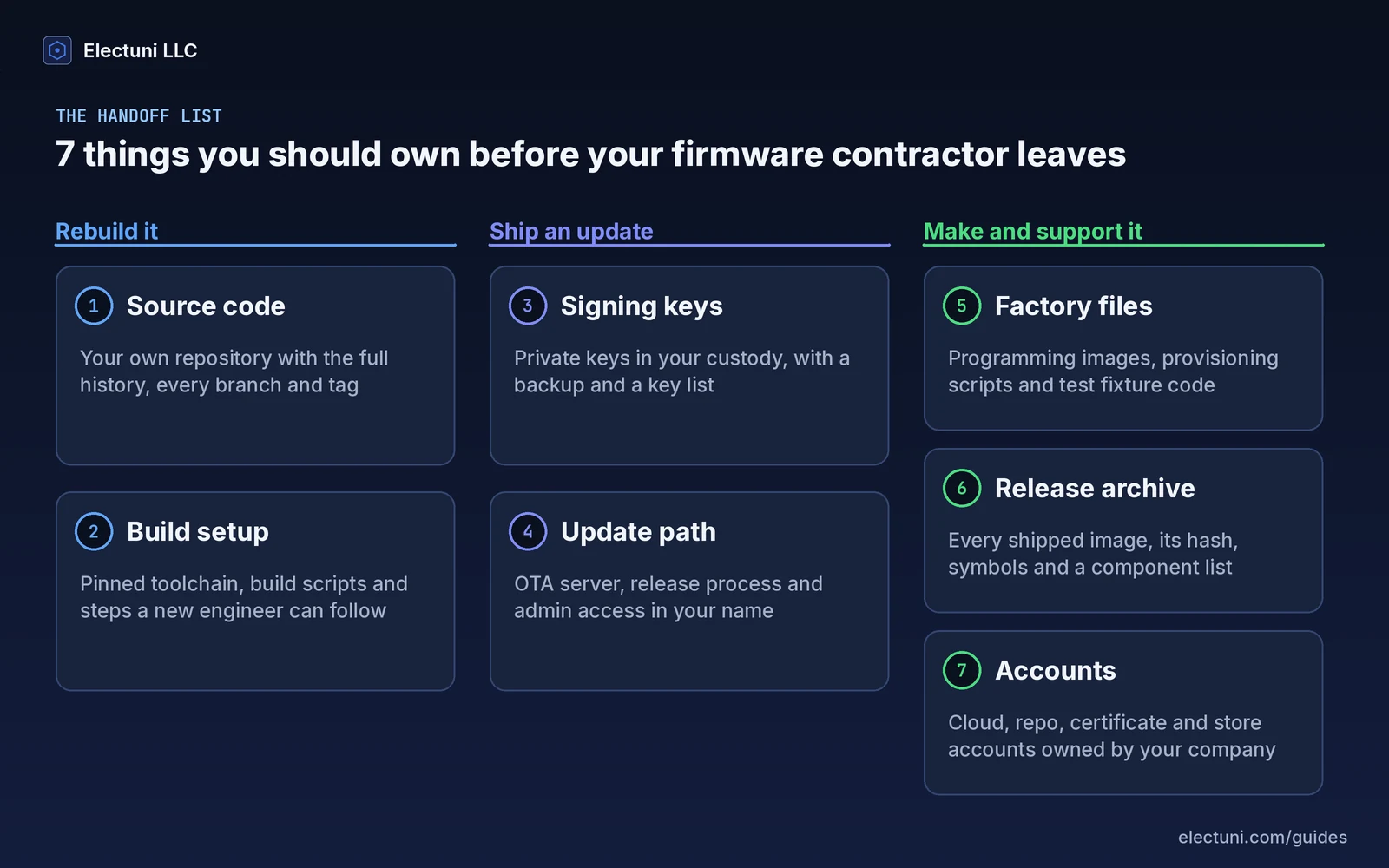
1. Source code with its full history
You want the repository, not a zip file. A zip of version 1.4 tells you nothing about 1.3. The history shows why each line changed, which commit went into which release and what was tried and dropped. Without it, your next engineer has to guess, and guesses in firmware turn into field bugs. NIST's Secure Software Development Framework puts it plainly: keep all code in a repository, limit access to the people who need it and use version control to track every change.
What "owned" looks like: the repository lives in your company's account on your Git host, with every branch and every release tag. The contractor is a member you can remove, not the owner. Third-party code, the bootloader and any libraries are in the same repository or listed with exact versions.
2. A build setup someone else can repeat
Your firmware is only as useful as your ability to turn it back into the exact image you shipped. That depends on things that rarely make it into your repository: the compiler version, build flags, scripts on the contractor's laptop and the order you run them in.
The team at Interrupt, the Memfault engineering blog, shows how small this gets. They built the same code from 2 different folders and got one image that ran and one that crashed on boot. Their first fix is to make the build check the compiler version. They also point out that a repeatable build lets you rebuild an older image, such as the one your factory programs, long after the fact.
What "owned" looks like: a written build guide, a pinned toolchain version and ideally a container image or a CI job that builds a release from a clean checkout. The test is a new machine and the written steps, nothing else.
3. The signing keys
If your product checks the signature of a firmware image before it runs it, the private signing key is the most valuable file in the whole project. Interrupt's guide to code signing explains why. The device trusts only images signed with the matching key, and changing even 1 bit of the image changes the signature. That's what stops someone from loading their own firmware onto your devices. It also means that if you lose the key, devices in the field will refuse your next update as well.
What "owned" looks like: production keys generated or moved into storage your company controls, such as a hardware security module or a cloud key service under your account. Keep a backup in a separate place and a short key list that says which key signs what and who can use it. Test keys stay separate from production keys and never ship. Once the contractor is gone, remove their access and replace any credential they knew.
4. The update path
Owning a signed image doesn't help if you can't get it to devices. The update path is everything between a release on your side and a new version running on a customer's device: the update server or service, the release scripts, the device groups and the credentials that tie it together.
It isn't just good practice either. ETSI EN 303 645, the European baseline standard for consumer IoT security, says a consumer IoT device shall have a secure update mechanism unless a resource constraint makes that impossible. It also asks for best practice cryptography in that mechanism. That only works for the life of the product if someone at your company can still run it.
What "owned" looks like: the update service account belongs to your company, at least 2 of your people are admins and the release steps are written down. Your engineer has pushed a test update to a test device.
Factory files, release archive and accounts
5. Factory programming and test files
Your contract manufacturer doesn't flash firmware the way a developer does. The factory usually gets a production image, a programming script, sometimes a step that writes a unique serial number or device certificate to each unit, and the code that runs on the test fixture. If any of those live only with your contractor, the next production run stops at programming or test.
What "owned" looks like: the production image for each build, the programming and provisioning scripts with their settings, the test fixture software and its source and a short factory procedure. Store them in your repository or release archive, not in an email thread with the factory. Our EVT, DVT and PVT guide explains where these files first get used.
6. An archive of every shipped release
When a device in the field crashes, you need the exact image it runs, the debug symbols for that image and the source at that tag. NIST's framework calls this archiving each release. Keep the release files with their integrity data, such as hashes, and record the components that went into each release, for example in a software bill of materials (SBOM).
The component list matters for a second reason. Your firmware almost certainly contains open-source and third-party code, and each licence comes with its own conditions. You can't meet those conditions, or answer your customer's security questionnaire, if nobody knows what's inside version 2.1.
What "owned" looks like: one folder or release page per version with the image, the hash, the symbol file, the release notes and the component list. Access is read-only for most of the team.
7. Accounts and admin rights
This is the item most often missed, because accounts feel like admin work and not engineering. But a firmware project touches a lot of them: the Git host, the CI service, the cloud project behind your devices, the update service, the domain the devices call, any certificate authority, the app store listings and the tool licences.
What "owned" looks like: every account is registered to a company email address, not a personal one. Your company holds the billing and at least 2 admin seats. The contractor's access is removed on the last day and every shared password or token they knew is changed.
Firmware handoff checklist
Use this table in the last 2 weeks of the engagement. The right-hand column is how you check each item without reading a line of code.
| # | Item | Owned when | How to check it |
|---|---|---|---|
| 1 | Source code | Repository in your company account, full history, all tags | Release tags match the versions you shipped |
| 2 | Build setup | Written guide, pinned toolchain, clean build script or CI job | A new engineer builds the latest release on a new machine |
| 3 | Signing keys | Production keys in your custody, backed up, listed | Your engineer signs a test image without the contractor |
| 4 | Update path | Update service in your account, 2 admins, written steps | A test update reaches a test device |
| 5 | Factory files | Production image, programming and provisioning scripts, fixture code | The factory confirms it has everything for the next run |
| 6 | Release archive | Image, hash, symbols, notes and component list per release | Pick an old version and find all 5 files in a minute |
| 7 | Accounts | Company email, company billing, 2 admins each | The contractor's access is removed and tokens are changed |
2 extras are worth asking for while the contractor is still around. One is a short architecture note: a block diagram of the firmware, how it boots, how it stores data and how it updates. 4 hours of the original author's time here can save a new engineer 2 or 3 weeks. The other is a list of known issues and open work, because every project has a few.
Run the rebuild test before the last invoice
A checklist tells you the files exist. The rebuild test tells you they work. It takes your engineer 1 or 2 days, and it's the single best check you can run on a firmware handoff.
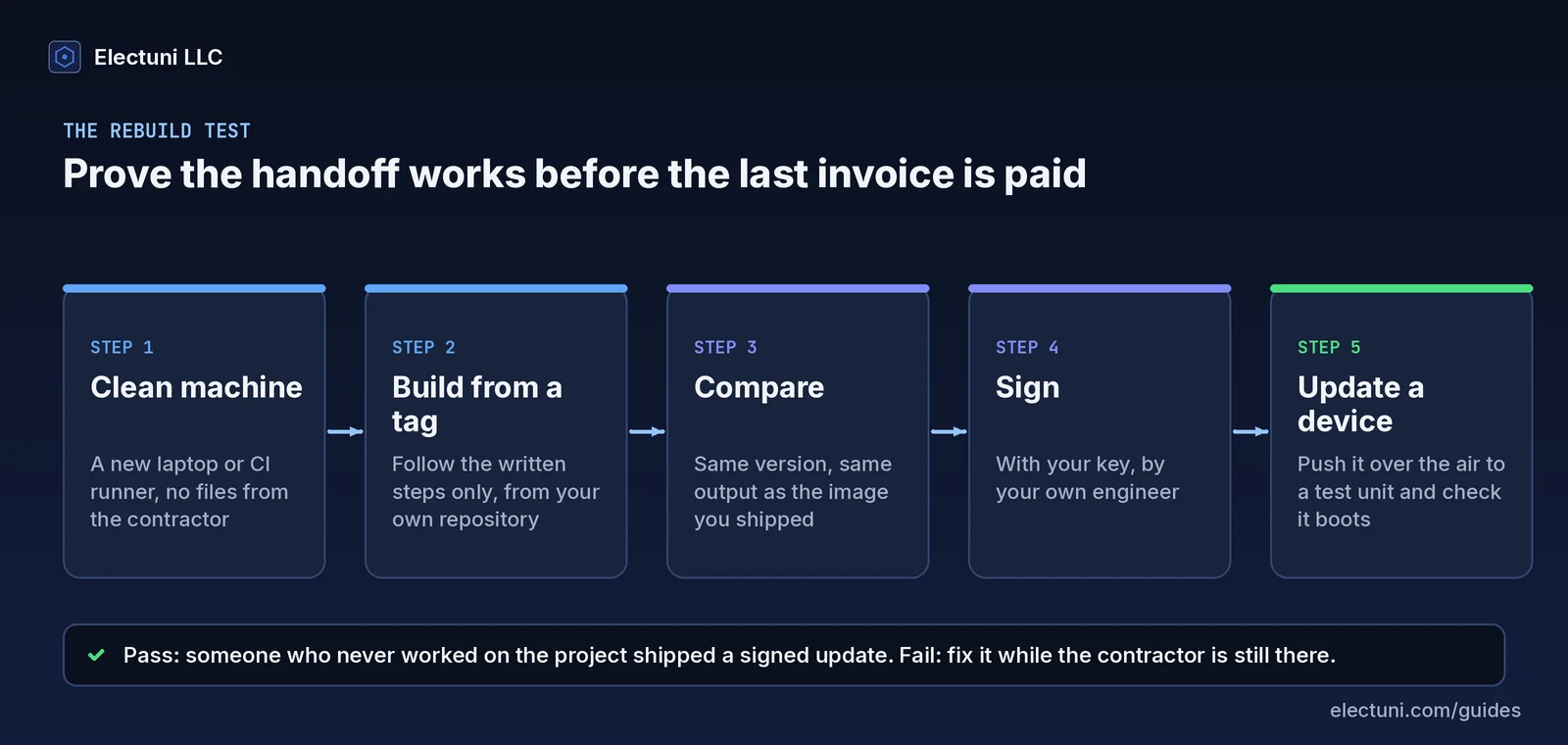
- Start clean. Use a new laptop, a fresh virtual machine or a CI runner with nothing from the contractor on it.
- Build from a tag. Check out the tag of your latest release from your own repository and follow the written build steps. Nothing else is allowed, no messages to the contractor and no copied folders.
- Compare. Check that the version string and size match the shipped image. If the build is fully reproducible the hash matches too. If it doesn't, ask the contractor to explain the difference while they still can.
- Sign. Have your own engineer sign the image with your production key or, if your process uses one, a staging key that mirrors it.
- Update a device. Push the update to a test device through your update service and confirm it boots and reports the new version.
If any step fails, you've found the gap while the person who can close it is still on the project. That's the whole point. Make the rebuild test a written acceptance step for the final milestone, so it's part of the plan and not a favour you have to ask for.
Put it in the contract before work starts
The best time to agree on a handoff is before the first line of code. You'll want 3 points in a firmware contract.
- Ownership. Paying for firmware doesn't automatically make it yours. Under US copyright law a commissioned work counts as "made for hire" only in 9 listed categories, and only with a signed written agreement. That's from Circular 30 of the US Copyright Office. Software usually isn't in those categories, so you need a written assignment of the code and files to your company. Have your lawyer check the wording.
- The deliverables list. Attach the 7 items from this guide, or your version of them, to the statement of work. Then "handoff" means a list, not a mood.
- Acceptance. Make the rebuild test the acceptance step for the final milestone.
Ask about background code too. Many firms bring their own libraries and templates to a project. That's normal and often saves you time, but you need a licence to whatever ends up inside your product. Our guide on how to choose an electronic product development company covers ownership and file formats as questions 7 to 9.
If your contractor has already left
It happens, and it's fixable more often than you'd think. A freelancer takes a full-time job, a firm stops answering or the relationship just ended badly. Here's the order we'd work in. You can do steps 1 to 3 yourself this week.
- Take stock. Go through the 7 items and write down what you have, what you don't have and who might have it. Check old emails, shared drives and the factory. Factories often hold the last production image.
- Ask once, in writing. Send a short, polite list of the missing items. If your contract assigns the work to you, quote that clause. Most people will send files when you're specific about what you need.
- Lock down accounts. Take ownership of every account you can, remove old access and change shared passwords and tokens.
- Check the signing situation first. If the signing key is gone and your devices check signatures, a normal update may no longer be possible. Whether there's a way out depends on how the bootloader handles keys, so get an engineer to read the boot and update code before you promise customers a fix.
- Rebuild what's missing. A missing build setup can usually be recreated from the source in a few days, because you've still got the code to work from. Missing source code is a much bigger job, and it's often a redesign decision, not a recovery task.
How Electuni handles a firmware handoff
Handoff is the sixth and last step of our process, after Discovery, Architecture, Design, Review and Prototype. We plan it at the start. That way the deliverables list is agreed before any firmware is written.
- Ownership. You own the designs, source code and files we deliver. That includes the firmware repository, schematics, PCB layouts, documentation and the production files.
- The handoff package. Source code, documentation and production files are delivered together in one package, along with the hardware design files when we've done the board.
- Your checklist. Bring this list to the first call. We'll go through all 7 items with you and agree in writing which ones are part of the project.
Electuni LLC is a US company founded in 2016, with 500+ PCB designs delivered since then. See firmware development, IoT systems and hardware design, or read the full process with the deliverables at each step on How we work.