What IoT product development actually covers
Most founders picture the device first. A small board, a sensor, maybe a battery and a case. You can hold it. So it gets all the attention. But a customer doesn't buy a board. They buy a number on a screen they can trust, an alert that arrives when something goes wrong, or a machine they can switch off from their phone.
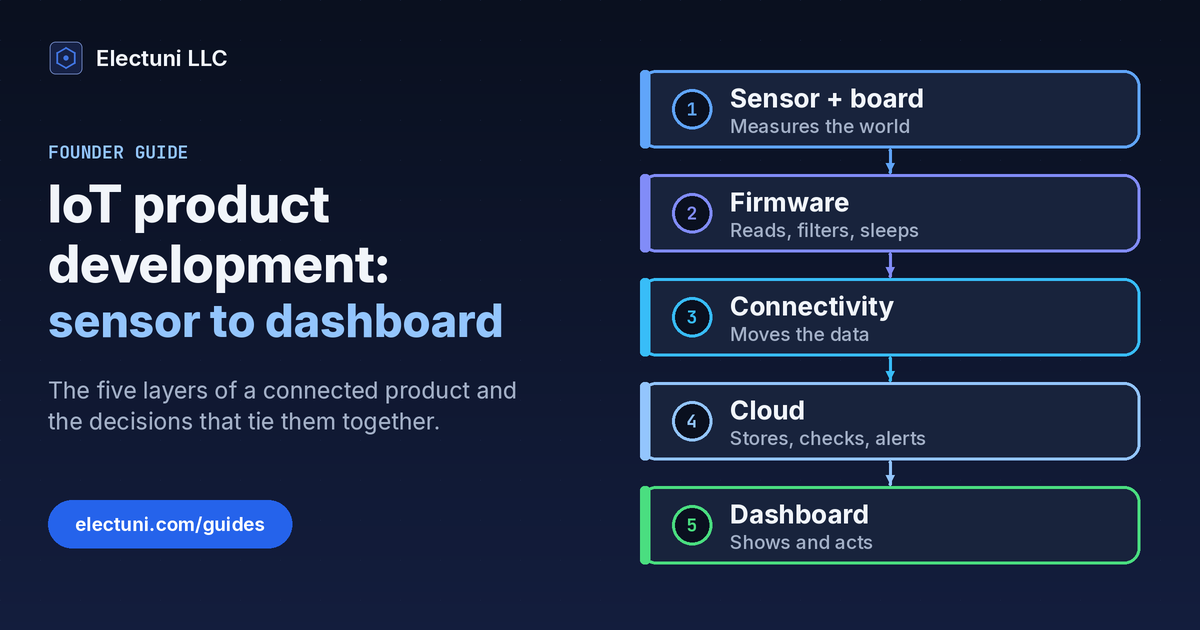
That number travels through five layers before anyone sees it. Take a cold-room monitor that reads 4.2 °C at 09:12. The sensor and its board take the reading. Firmware filters it and decides whether it's worth sending now or in the next batch. A radio carries it out of the building. The cloud stores it and checks it against a rule like "alert above 5 °C for 10 minutes". Then a dashboard or a phone alert tells the store manager to check the door. Five layers. One number.
Memfault, a company that makes firmware tools, describes IoT development as a process that needs hardware, firmware and cloud connectivity to work together, and lists cloud architects on the team from the very first stage. We'd go a step further. Each layer limits the next one. The radio you pick sets your battery life. The battery sets how often you can send. A unit that wakes every 15 minutes sends 96 readings a day, and that's the finest detail the dashboard can ever honestly show. So you can't choose these one at a time.
The five layers, one decision at a time
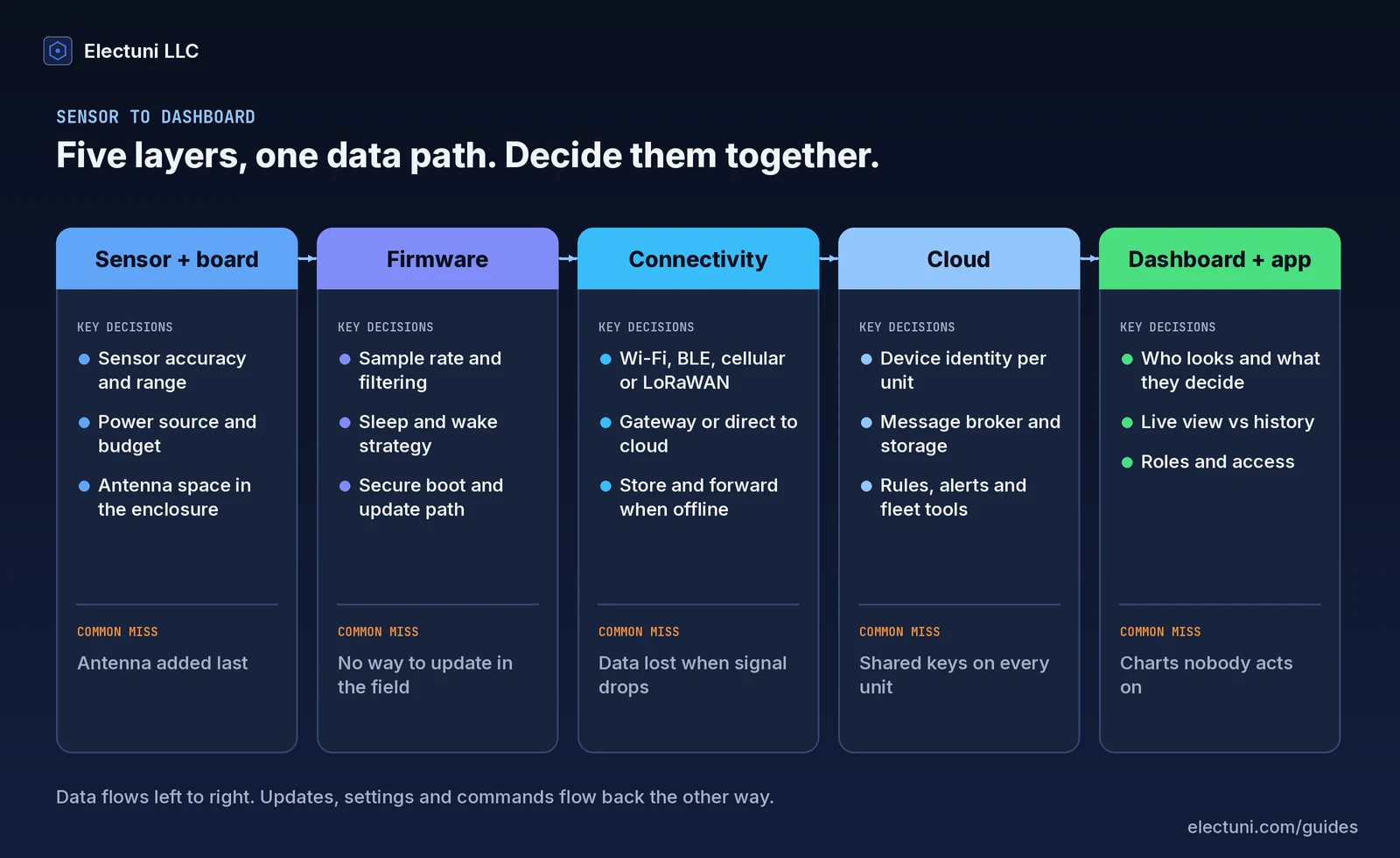
Here's what each layer has to decide and the mistake we see most often at each one. You don't need a chip or a vendor yet. Get these answers on paper first. The part choices get much easier after that.
1. Sensor and board
Start with the measurement. Not the electronics. What do you need to know, how accurate does it have to be and how fast does it change? A soil probe that reports once an hour isn't the same product as a vibration monitor that samples thousands of times a second. Then pick the power source. Mains power, a rechargeable pack and a primary cell that has to last 3 years each lead to a different board.
Reserve room for the antenna early. Blues, which builds connectivity hardware, gives antenna selection and placement a full guide of its own and treats it as a validation step. In practice it's the part most often squeezed in at the end. And it's hard to fix without a new board and a new enclosure.
2. Firmware
The firmware decides how much of the battery you actually use. It sets the sample rate, filters noise before anything is sent and puts the device to sleep between readings. It also owns two things founders forget to ask for: a secure boot path and a way to update itself in the field. Ship the first units without an update path and every bug they carry stays with them for life.
3. Connectivity
This is the choice that shapes the rest. It gets its own section below.
4. Cloud
The backend receives messages, stores them and runs rules on them. Before anyone writes code, settle three things. How does each device prove who it is? Where does the data live and for how long? What should happen when a reading crosses a limit? Fleet tools matter too. Picture 200 units on 40 sites. You'll want to see which are online, which firmware they run and which went quiet on Tuesday.
5. Dashboard and app
Ask who's looking at the screen. What do they decide from it? A facilities manager needs alerts and a list of units that need attention. An engineer wants raw history to look for trends. A homeowner wants one clear number and a button. Build the view around the decision. Don't build it around every value the device can send. Charts nobody acts on are the most common waste we see here.
Choosing the radio link
Connectivity sets your power budget, your range, what has to exist on site and whether you pay for data every month. Here's how the common options compare. We've kept it plain. Treat it as a starting point for a test. It isn't a final answer. Range and battery life depend on your enclosure, your antenna and how often you send.
| Link | Good fit | What it needs | Watch for |
|---|---|---|---|
| Wi-Fi | Mains-powered devices in homes and offices | The customer's network and a setup step | High power draw for battery devices, setup friction |
| Bluetooth Low Energy | Wearables and devices used near a phone | A phone app or a gateway to reach the cloud | Short range, no data when the phone is away |
| Cellular (LTE-M, NB-IoT) | Devices in the field with no local network | A SIM or eSIM and a data plan | Recurring data cost, carrier and certification work |
| LoRaWAN | Small, infrequent readings over long distances | A gateway or a public network in range | Small payloads, limited downlink for updates |
Two patterns help whatever you pick. First, decide whether the device talks to the cloud directly or through a gateway. A gateway can translate local protocols and collect data from many small sensors, but it's one more product to build and support. Second, plan for store and forward. Devices lose signal. If the firmware keeps readings in local memory and sends them when the link comes back, you get late data instead of lost data. A unit that's offline for 6 hours still delivers all 24 readings.
For the message format, many teams use MQTT, a lightweight publish and subscribe protocol. Version 5.0 is an OASIS standard approved in 2019, and version 3.1.1 is also published as ISO/IEC 20922. A standard protocol means you aren't locked to one cloud provider if you move later.
Security you design in, not bolt on
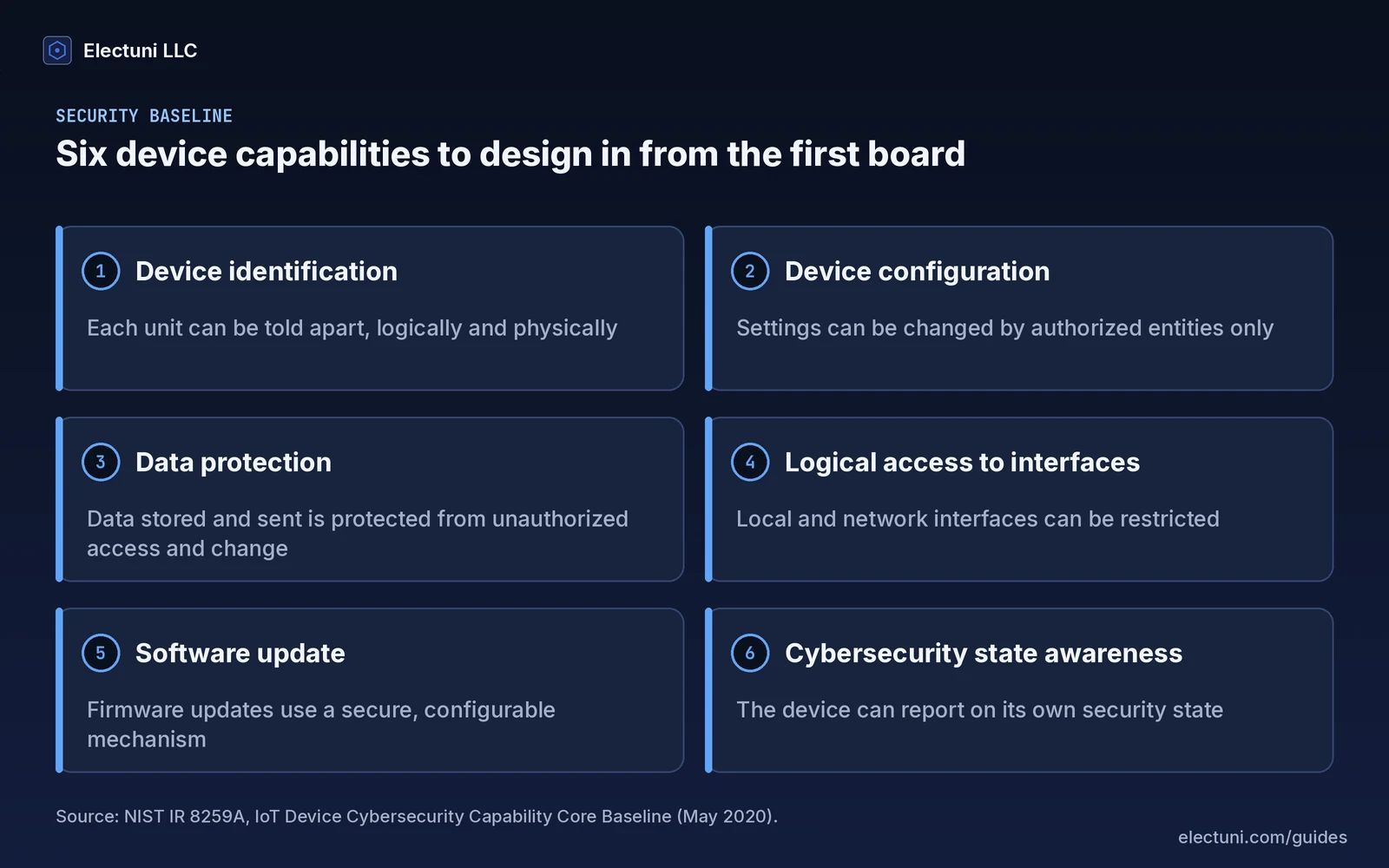
Security is cheapest when it's planned into the board and the firmware. Bolt it on after launch and you're usually looking at a new hardware revision. NIST's IoT Device Cybersecurity Capability Core Baseline (NIST IR 8259A) lists six capabilities a device should support. It's voluntary. Still, it's the clearest checklist we know to design against.
Some markets now make parts of this a legal duty. In the UK, the product security regime for consumer connectable products came into effect on 29 April 2024. Its requirements cover banning universal default and easily guessable passwords, publishing how to report security issues and publishing the minimum period you'll provide security updates.
In the EU, the Cyber Resilience Act (Regulation (EU) 2024/2847) applies to products with digital elements. Its duty to report actively exploited vulnerabilities and severe incidents started on 11 September 2026. Most of its other obligations, including the essential security requirements and conformity assessment, apply from 11 December 2027. Will you ship in Europe? Then design for it now. A device you start today will likely launch after December 2027 anyway.
In practice that means a unique identity and credentials for every unit, no shared default password, encrypted links, debug ports locked in production, signed firmware and a published support period. None of these are hard on a new design. All of them hurt to add later.
OTA updates and life after launch
An IoT product isn't done when it ships. You'll fix bugs, close security holes and add features for as long as units are in the field. That only works if over-the-air (OTA) updates are reliable. A failed update on a device bolted to a roof in Ohio or a wall in Rotterdam means a truck roll or a return.
A sound OTA design downloads the new image, checks its signature, installs it and confirms the device still works. If it doesn't, it rolls back to the last good version. No one has to visit. That needs enough flash memory for two images and a bootloader that knows how to switch between them, which is a board decision as much as a firmware one. It's why Memfault places OTA validation in EVT, the first engineering build, rather than near launch.
Plan monitoring alongside updates. We'd want each unit to report its firmware version, battery state, signal strength and any resets. That's how you spot a bad batch or a failing site before customers call you. If you work with an outside firmware team, make sure you own the signing keys and the update pipeline. Our guide on what to own when your firmware contractor leaves lists what to ask for.
How the layers move through prototype, EVT, DVT and PVT
The five layers don't finish together. Here's roughly how they line up with the usual hardware builds.
- Proof of concept: development boards, a test sensor and a simple cloud endpoint. The goal is to prove the measurement works and the data arrives. Skip polish.
- Prototype: your first custom board in a printed case, first real firmware, a basic dashboard with live data. Test the riskiest parts first, usually sensor accuracy, range and battery life.
- EVT: the board meets its specs. OTA, secure boot and device identity work. Radio pre-compliance testing starts.
- DVT: the final enclosure, certification samples and field trials with real users. The dashboard moves from demo to the product people will use.
- PVT: the factory builds units at rate. Each one gets its identity and keys during production, and tests confirm it connects before it's boxed.
If those build names are new, read EVT, DVT and PVT explained. For a full schedule with durations and the places projects slip, see our hardware product development timeline.
A radio product also needs certification before it can be sold. In the US, the FCC equipment authorization program covers radio frequency devices, and other markets have their own marks. Using a pre-certified radio module can reduce the testing, but the finished product still needs its own checks.
Founder checklist: sensor to dashboard
Use this before you brief an engineering team or approve a first board order. Can't answer a line? That's your next job.
- We know what we measure, how accurately and how often.
- We know the power source and how long a unit must run between charges or battery swaps.
- We picked the radio link based on where units will be installed, and we have tested range in a real location.
- The board has space reserved for the antenna, and the enclosure material is chosen with the radio in mind.
- The firmware stores readings when the link drops and sends them later.
- Every unit gets its own identity and credentials. There's no shared default password.
- OTA updates are signed and can roll back, and the board has the memory to do it.
- We know who looks at the dashboard and what decision they make from it.
- We know which markets we'll sell in and which certification and security rules apply there.
- We own the source code, signing keys, cloud accounts and update pipeline.
How Electuni builds IoT products
We build all five layers as one team: sensor board, firmware, connectivity, cloud and dashboard. So there's one plan for the data path. And there's one place to ask why a number looks wrong. We start with the measurement and the people who'll use the screen, then work back to the board. The radio, power and security decisions are made together, not handed between separate vendors.
Electuni LLC is a US company founded in 2016, with 500+ PCB designs delivered since then. Our lead engineer is IPC CID+ certified.
See IoT systems, IoT dashboard development, firmware development and hardware design, or read what you receive at each step on How we work.